BlueMap
Adding warps and homes will add icons to the map. Please add warps sparingly to avoid cluttering the map. They should be used to mark player bases or community center locations. Think of them as major train stations. Homes can be used more liberally. They will still clutter the map, but they can be turned off separately from warps, and each player's homes only show up when they are online.
Warp signs can be made that will teleport a player to a warp by right-clicking on it. You can create a warp sign by writing “[warp]” (including the square brackets) on the first line, then the warp name on the second line. Keep the 3rd and 4th lines blank. The “[warp]” will turn blue if successful.
 _____________
|    [warp]   |
|    Store    |
|             |
|_____________|
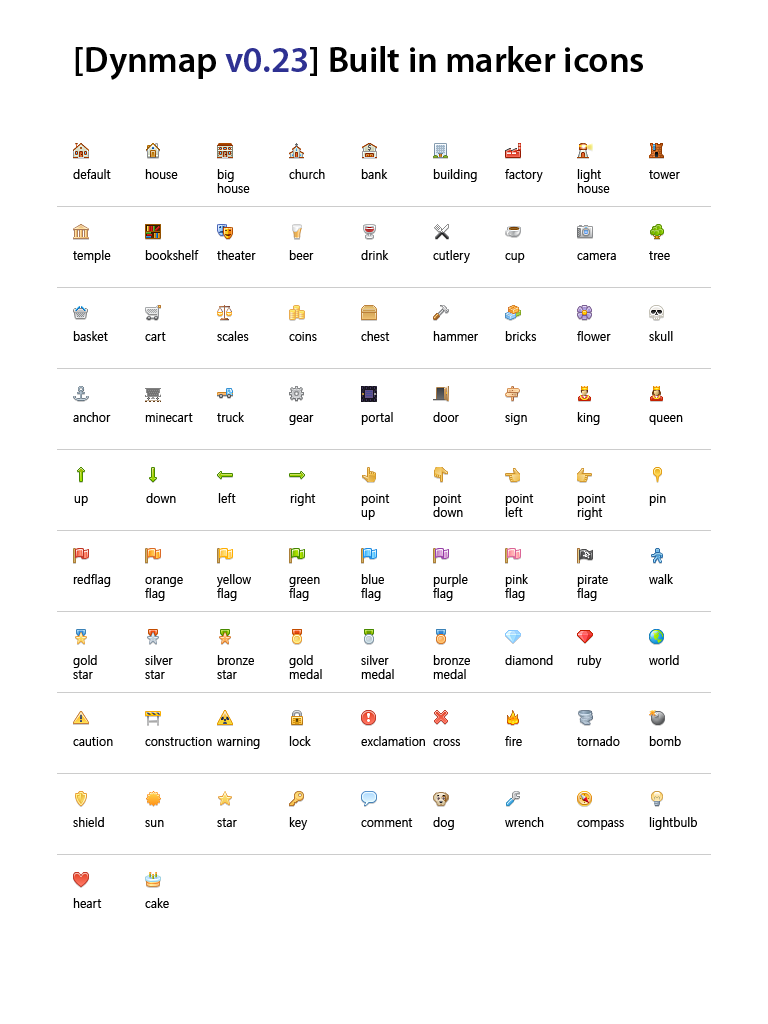
Signs can be placed with special code that will cause custom icons to show up on the map. They won't be teleporting locations like warps and homes, but might be useful to dot the map with points of interest. These could be used to name villages, natural wonders, etc. Create these signs by writing “[map]” on the first line, text on lines 2 and 3, and an icon name (with no spaces) on line 4. If successful, “[map]” and the icon name will disappear. Note that no spaces are inserted between lines 2 and 3, so you may want to add a space before and after words on line 2 to make it centered on the sign while looking correct on the map.
 _____________
|    [map]    |
|   Pyramids  |
|             |
|___blueflag__|